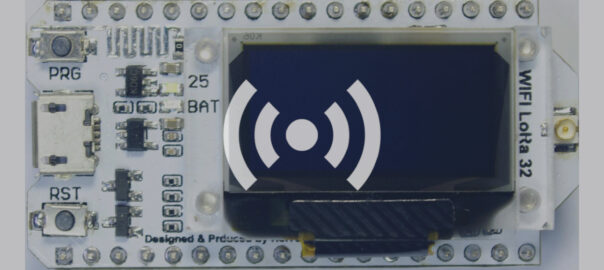
The Heltec Wifi LoRa V1 was released in 2017, It has ESP32 (Wi-Fi, BLE), SX127x (LoRa radio), a Li-Po battery management system and 0.96” OLED. You still can build and flash MeshCore on it.
- I used VSCodium (a free VSCode version without the Microsoft proprietary elements and telemetry), but you can use VSCode of course.
- You will also need the PlatformIO IDE for VSCode extention
- Clone the MeshCore git repository: https://github.com/meshcore-dev/MeshCore
- Edit the variants/heltec_v2/platformio.ini file:
- In the Heltec_lora32_v2 section, change line 3 to:
board = heltec_wifi_lora_32 - Then add this line below it:
board_build.partitions = min_spiffs.csv - If you are building the companion firmware for USB, BLE or WiFi, add this line to the build_flags of the corresponding section (env:Heltec_v2_companion_radio_usb, env:Heltec_v2_companion_radio_ble, or env:Heltec_v2_companion_radio_wifi):
-D OFFLINE_QUEUE_SIZE=64 - Open the PlatformIO page, Pick Project Environment env:Heltec_v2_…
- Build and Upload and you should be done.
- Note: I tried building the Merge binary under Custom and uploading it using the Meshcore web flasher, but although flashing seemed to work, I never got anything on the Heltec screen. So it worked with only using VScodium and PlatformIO.